
Why alt text matters for modern websites
Alt text, also called alternative text, is a short written description added to an image so that software can explain the image to people who cannot see it clearly. It plays an important role in web accessibility, search visibility, and content organization. When a website contains product photos, blog images, screenshots, diagrams, or social media visuals, alt text helps describe what appears in each file. This makes the page more useful for screen reader users and can also give search engines more context about the image and the page itself. For businesses and publishers that manage large image libraries, writing alt text by hand for every file can take a lot of time. This is where AI image recognition can provide support. By identifying objects, faces, text, scenes, and visual patterns inside an image, AI can generate a first description that helps teams work faster while keeping content more accessible and easier to manage.
Image recognition is especially useful for websites that publish many visuals every day. Online stores upload new product photos, news sites add images to articles, travel companies manage destination galleries, and social platforms process constant streams of user content. In these cases, manual workflows often become inconsistent. Some images receive detailed alt text, some get generic descriptions, and others are missed completely. AI helps reduce these gaps by scanning images at scale and suggesting clear labels or descriptions based on visible content. For example, the system may detect clothing, furniture, vehicles, landmarks, printed words, or a person’s face and then convert that information into a simple sentence. This does not replace human review in every situation, but it can make the process much faster. A reliable alt text workflow supports accessibility goals, improves content quality, and helps websites maintain a better experience across desktop and mobile devices.
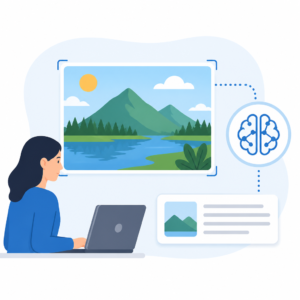
How AI supports automatic image descriptions
AI-based alt text creation usually starts with visual analysis. The system reviews an image and identifies the main elements inside it. Depending on the tool, this may include objects, colors, settings, visible text, brand marks, and image type. A photo might be recognized as a beach scene with people, umbrellas, and water, while a product image might be identified as a red backpack on a white background. Optical character recognition can also help when the image contains signs, packaging, screenshots, or posters with readable text. Some systems go further and estimate whether the image includes a face, a celebrity, adult content, or sensitive material that may need special handling. After detection, the platform turns the results into suggested wording that can be used as alt text, tags, or metadata. This process works best when the image is clear, the subject is visible, and the system has enough context to distinguish the main focus from less important details.
Good automatic alt text should be concise, relevant, and based on what is actually visible. It should describe the image in a way that helps someone understand its purpose on the page. AI can support this by prioritizing the most likely subject rather than listing every object in the frame. For instance, if an online store uploads a photo of a black running shoe, the best alt text is not a long inventory of shapes and colors in the background. A better result would focus on the product itself. The same principle applies to blog content, profile photos, banners, and educational images. Context also matters. The exact same image may need different alt text depending on whether it appears in a shopping category, a news story, or a support article. Because of this, AI-generated descriptions are often strongest when combined with page data such as file names, product titles, surrounding text, or content category. This creates more useful and accurate descriptions for real website visitors.
Best practices for using image recognition in alt text workflows
Organizations that want to use AI for alt text should build a clear review process instead of publishing every generated description without checks. While image recognition can identify many common items accurately, mistakes can still happen with low-quality photos, unusual angles, abstract art, crowded scenes, or culturally specific details. Human review is especially important for sensitive images, public-facing campaigns, medical content, legal material, and any image where a poor description could confuse users. A strong workflow often begins with automated analysis, followed by editing rules for length, clarity, and tone. Teams may create templates for products, portraits, charts, and interface screenshots so descriptions stay consistent across the site. It is also useful to avoid keyword stuffing, since alt text should serve users first. Short, direct language is usually best. When AI suggests a description, editors can quickly adjust it to match the page intent and remove unnecessary words, making the final result both practical and accessible.
There are also technical advantages to integrating alt text generation into image processing systems. When images are uploaded, a recognition tool can automatically assign labels, extract text, detect inappropriate content, and suggest alternative descriptions before the file is published. This reduces manual effort for content teams and helps large websites keep image libraries organized. The same metadata can support search filters, digital asset management, moderation queues, and analytics. For example, a media team could search archived files by object type, scene category, or detected text, while an e-commerce team could check whether all product images have approved descriptions. Businesses using APIs can connect image recognition to content management systems, moderation tools, and publishing workflows. This creates a more efficient process from upload to review. Over time, teams can measure how many images receive alt text, how often edits are needed, and which image types produce the most accurate automated results.
Limits, ethics, and content quality considerations
Although AI can help with speed and scale, responsible use still matters. Alt text should not make claims that are not visible in the image. It should avoid guessing personal details, emotions, identities, or sensitive traits unless that information is clearly relevant and supported by the content and use case. This is particularly important for face-related analysis. In many cases, a neutral description such as “person standing in front of a building” is better than a more specific claim that could be incorrect. Privacy and compliance should also be considered when processing user-uploaded images, especially if the system stores metadata or analyzes faces and personal content. Website owners need to understand what image data is collected, how it is processed, and who can access the results. Accuracy testing is equally important. Teams should review sample outputs regularly to ensure the generated text remains useful, respectful, and aligned with accessibility standards and internal content policies.
As more websites depend on visual content, alt text creation is becoming a practical area for AI image recognition. It connects accessibility, SEO, content operations, and image management in one workflow. For a platform that can already recognize objects, faces, celebrities, text, and NSFW content, alt text support is a natural extension because it turns technical detection results into plain language that people can use. This makes image libraries easier to publish, search, and maintain at scale. The best results come from combining automated recognition with thoughtful editing and clear publishing rules. When used carefully, AI can help teams describe images more consistently, reduce repetitive manual work, and improve the experience for visitors who depend on accessible content. In a growing digital environment where every image should serve a purpose, better alt text is not just a technical improvement but a meaningful step toward a more usable web.


