
Why document verification matters
Document verification is an important use of image recognition that supports many online services. Businesses often need to confirm that a document is real, readable, and linked to the correct person or process. This can include identity cards, passports, driver’s licenses, invoices, receipts, utility bills, certificates, and other records submitted as images. AI image recognition helps by detecting the presence of a document, locating key visual areas, reading printed text with OCR, and checking whether the image has the quality needed for review. This reduces manual work and helps teams process large volumes of files more efficiently. For websites and digital platforms, faster verification can improve onboarding, reduce delays, and create a smoother user experience. It can also support internal workflows where companies need to sort, classify, and review uploaded documents before making decisions.
Image recognition does not replace every human check, but it can handle many routine steps with speed and consistency. A system may confirm whether a document appears complete, whether the photo is blurry, whether important fields are visible, and whether the file type matches the expected category. In some cases, AI can compare information across documents or flag images that need closer inspection. This is useful in sectors such as finance, insurance, human resources, property management, travel, and online marketplaces. As more services move online, the ability to verify image-based documents quickly becomes more valuable. A reliable verification process can help reduce processing time, improve operational accuracy, and support compliance goals without creating unnecessary friction for users who need to upload documents from phones or computers.
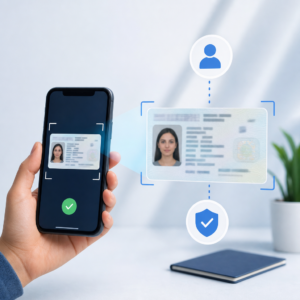
How AI supports the verification process
AI-powered document verification usually begins with image analysis. The system identifies the document boundaries, corrects orientation, checks lighting and contrast, and determines whether the file is usable. After that, OCR can extract printed or handwritten text, depending on the document and image quality. Classification models can label the document type, such as invoice, ID card, or proof of address. Object and pattern recognition can also help detect logos, stamps, signatures, barcodes, QR codes, and other visible elements. These features make it easier to route documents to the correct workflow. For example, an uploaded receipt can be sent to expense processing, while an identity document can be routed to an account verification queue. This structured approach helps organizations manage incoming files more effectively and maintain a clearer audit trail.
To get better results from document verification, image quality and process design both matter. Users should be guided to upload clear, well-lit images with the full document visible and no important details cut off. Systems should also be tested on different document formats, layouts, and capture conditions to improve consistency. Confidence scores can help determine when a result is strong enough for automation and when a human reviewer is needed. Privacy and security should be considered as well, especially when documents contain personal or financial information. Limiting data access, storing files securely, and collecting only necessary information are practical steps for responsible use. When implemented carefully, image recognition for document verification can save time, support fraud prevention efforts, and improve the accuracy of document-based workflows across many industries.


